

When you buy a WordPress theme or plugin, you are buying more than files. You are buying updates, compatibility with future WordPress versions, and someone to answer when something breaks. Lifetime licences and yearly subscriptions package those things differently. This guide explains both models, what they cost over time, and the questions to ask before you pay.
The two models in plain terms
Yearly subscription. You pay every year. While the subscription is active you get updates and support. If you stop paying, the product usually keeps working, but updates and support stop, and some products disable premium features.
Lifetime licence. You pay once. The product keeps working and you keep receiving updates for as long as the developer releases them. Support may be included for a set period, then offered separately.
What you are really paying for
- Updates: security fixes, compatibility with new WordPress, PHP and page builder versions, and new features.
- Support: help from the developer when something does not work.
- Site count: how many websites you may activate the licence on.
When comparing prices, compare all three, not just the headline number.
Cost over time
A simple way to compare is to estimate how long you will run the site.
| Years of use | Yearly subscription at $X per year | Lifetime licence at one price |
|---|---|---|
| 1 year | $X | One payment |
| 3 years | 3 × $X | Same one payment |
| 5 years | 5 × $X | Same one payment |
For a site you plan to run for years, a lifetime licence usually costs less in total. For a short-term project, a cheap first-year subscription can be fine, as long as you know the renewal price.
When a subscription makes sense
- You want guaranteed ongoing support every year and the developer offers strong support.
- The product depends on a paid service (for example an API, cloud storage or AI credits) that costs the developer money every month.
- You only need the product for one short project.
When a lifetime licence makes sense
- The site will run for years.
- You are a freelancer or agency and want predictable costs per client.
- The product is self-contained: a theme or plugin that runs on your own server.
Questions to ask before you buy
- Does the product keep working if I stop paying?
- Are updates included forever or only for a period?
- How long is support included, and how do I reach it?
- How many sites does one licence cover? Can I move it to another site?
- Is there documentation I can read before buying?
- What is the refund policy? Read it before you pay, because policies differ widely.
Understanding site counts
Most licences, whether subscription or lifetime, are sold per site. A single-site licence covers one live website. Multi-site licences cover a set number of sites, and unlimited licences cover as many as you build. Check whether staging or local development sites count; most developers do not count them, but it is worth confirming. If you build sites for clients, think about whether the licence should be in your name or the client’s, and what happens to updates if the client relationship ends.
Updates versus support
These are often confused. Updates are new versions of the product: fixes, security patches, compatibility with new WordPress and PHP versions, and new features. Support is help from the developer with your specific problem. A product can keep receiving updates long after your support period ends. When you compare offers, look at both separately.
Red flags in any licence
- No public changelog, or a changelog with no entries for a long time
- Premium features that stop working entirely when a subscription lapses, without this being stated up front
- Unclear site limits
- No documentation available before purchase
A clear licence, a visible update history and public docs are the best signs that a product will be maintained.
How licensing works at FEKBD
All our themes, templates and plugins sold on fekbd.com use a lifetime licence:
- Pay once, use it on the number of sites your licence covers
- Updates included
- 1 year of support included
- Secure checkout handled by Freemius, our reseller and Merchant of Record
Licences can be deactivated on one site and activated on another from your account, so moving a site does not mean buying again.
Please note that we do not offer a money-back period, so use the live demos and documentation to check a product before you buy. Every product page links to its demo and docs, and you can ask a question before purchasing.
The All-Access Bundle
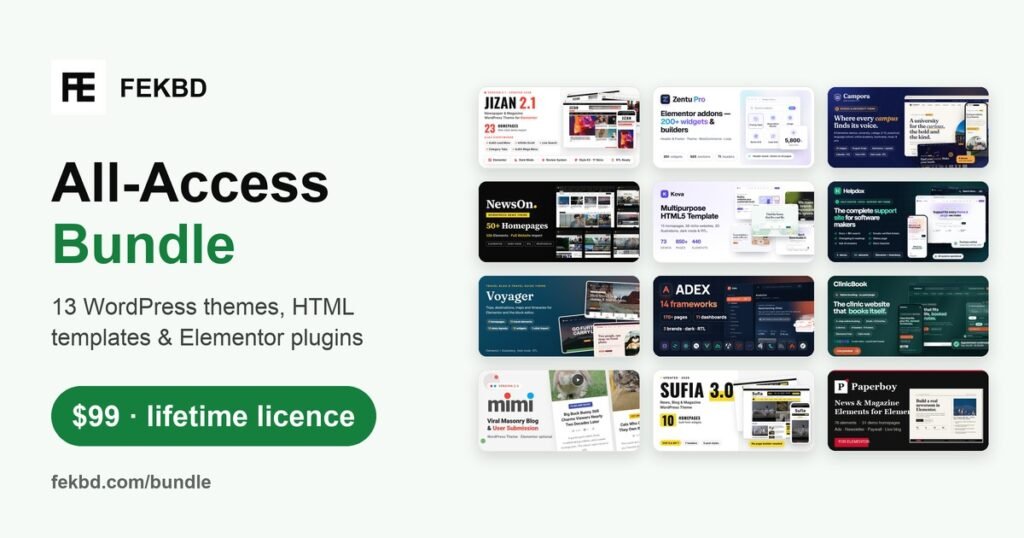
If you build several kinds of sites, the All-Access Bundle gives you every FEKBD theme, HTML template and plugin in one purchase, each with a lifetime licence, updates and one year of support. It includes:
- WordPress themes for news, blogs, clinics, schools, help centers and travel
- HTML templates for multipurpose sites and admin dashboards
- Elementor plugins for widgets, builders and news layouts
The bundle is a limited-time offer, so check the bundle page for current availability and price.
Read about the products in our guides to Elementor addons, news and magazine sites and HTML templates vs WordPress themes.
Who this is for
This guide is for site owners, freelancers and agencies comparing WordPress products. If you only need one product for one site, buy that product. If you work across industries, a bundle is often the better value.
Common mistakes when comparing licences
Comparing first-year prices only
A subscription often looks cheaper in year one. Compare the total cost over the number of years you expect to use the product.
Ignoring the site count
A licence for one site is not enough if you also run a staging site or build client sites. Check how staging and local development are treated.
Confusing updates with support
Updates keep the product working with new versions of WordPress. Support is help from the developer when something goes wrong. They often have different terms, so read both.
Not reading what happens when a licence ends
With some licences, features stop working when a subscription ends. With others, the product keeps working but updates stop. Know which one you are buying.
Total cost example over three years
This example uses made-up round numbers only to show how to compare. Use the real prices of the products you are considering.
| Model | Year 1 | 3-year total |
|---|---|---|
| Yearly ($40 a year) | $40 | $120 |
| Lifetime ($60 once) | $60 | $60 |
The longer you use a product, the more a lifetime licence tends to favor you. The shorter your project, the more a yearly plan can make sense.
A checklist before you buy any licence
- How many sites can I use it on, and does staging count?
- Do updates continue for life, or only for a period?
- How long is support included, and how do I contact it?
- What happens to the product if I do not renew anything?
- Can I move the licence from one site to another?
Write the answers down for each product you compare. It turns a confusing pricing page into a simple side-by-side decision.
Who each model is not for
A lifetime licence is not ideal if you only need a product for a short campaign site that will be deleted in a few months; a cheaper short-term option may be enough. A yearly subscription is not ideal if you build long-lived sites and want to avoid recurring costs for products that rarely change. Matching the licence to the life of the site is the simplest rule.
Keeping track of your licences
Keep a simple list of every theme and plugin licence you own: where you bought it, the account email, the licence key location, how many sites it covers and which sites use it. When you hand a site to a client or move hosts, this list saves hours of searching through old emails.
Finally, remember that the cheapest licence is not always the best value. A product that is updated regularly and backed by responsive support often saves more time than it costs, whichever licence model it uses. Look at how actively the product is maintained, not only at the price on the checkout page.
Frequently asked questions
Does a lifetime licence include updates forever?
At FEKBD, updates are included with the lifetime licence for as long as we release them. Support is included for one year.
What happens when the year of support ends?
Your product keeps working and keeps receiving updates. Only the included support period ends.
Can I move my licence to another site?
Yes. You can deactivate the licence on one site and activate it on another from your account.
Do you offer refunds?
We do not offer a money-back period. Please check the live demo and documentation, and ask us any questions before you buy.